SLCC Safe App
Brought to you by SLCC's Emergency Management team, SLCC Safe is a new app to help keep you safe on campus. The app is free, ad-free, ADA-compliant and protects your privacy. Download the SLCC Safe app from Apple or from the Google Store and use it to:
- Report potential safety hazards
- Get information and steps on how to respond to any hazard that comes your way
- Allow friends and family to track your GPS location on campus and sound the alarm if something goes wrong
- Put in a Fix-It request
- Access a digital version of the Emergency Procedures flip chart
- Easily submit anonymous tip. “See something, say something."
- Submit issues or suggestions directly to the creators of the app
- Share your location to a recipient of your choice
- Access a wealth of useful resources for faculty, staff, and students
- And much more!


"I'm OK!"
If there is an emergency situation wherein someone will want to notify family or friends that they are okay, the "I'm OK!" feature in the SLCC Safe app is capable of quickly sending exact coordinates to any device's native mapping application with a pre-scripted message that the sender is okay, simply follow the steps below:
From the SLCC Safe home screen, select the "Emergency Contacts" icon.
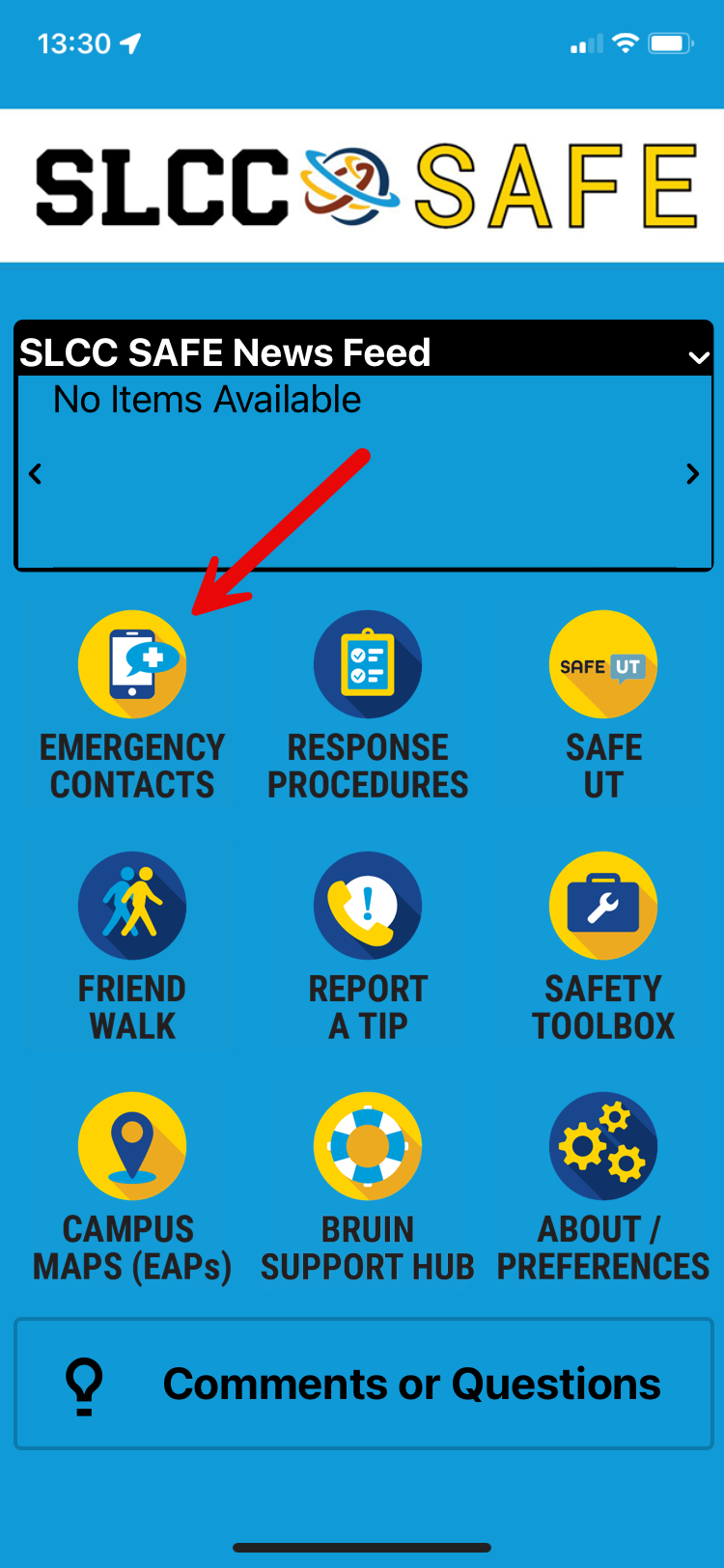
Then select the "I'm OK!" tab.

Click the "Send "I'm OK" Message" tab.

Select either text or email location noting that location services must be enabled on the device sending the message.
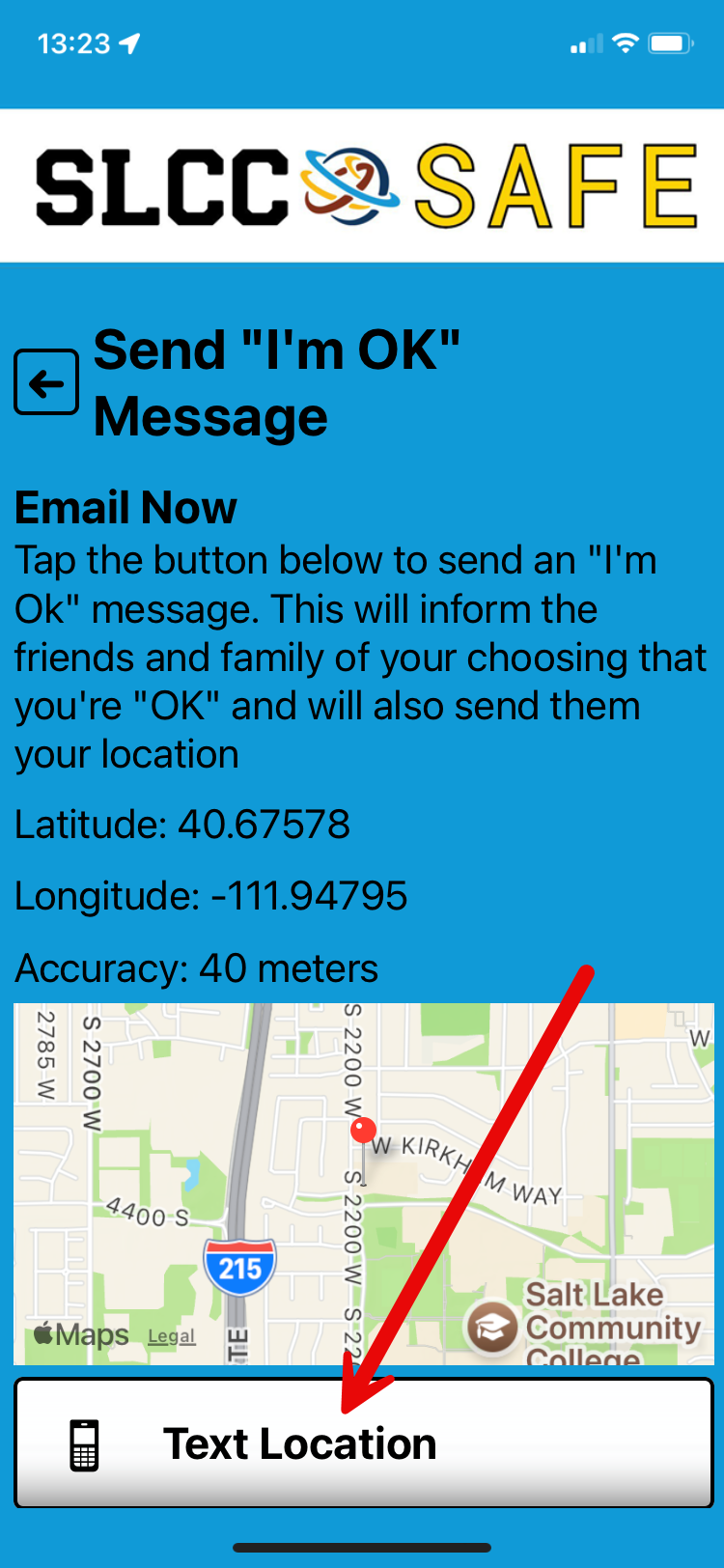
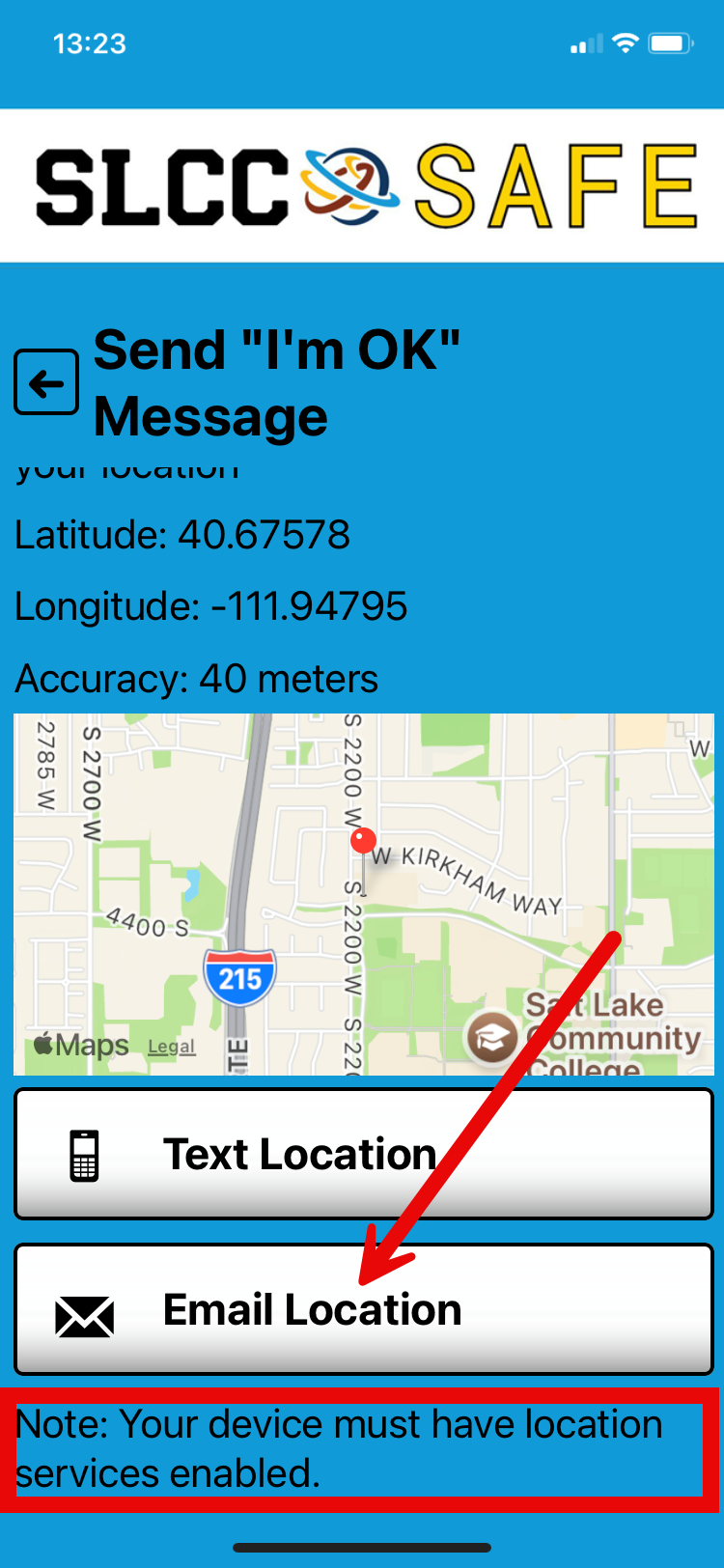
Enter a recipient from your contacts in the "To:" section.
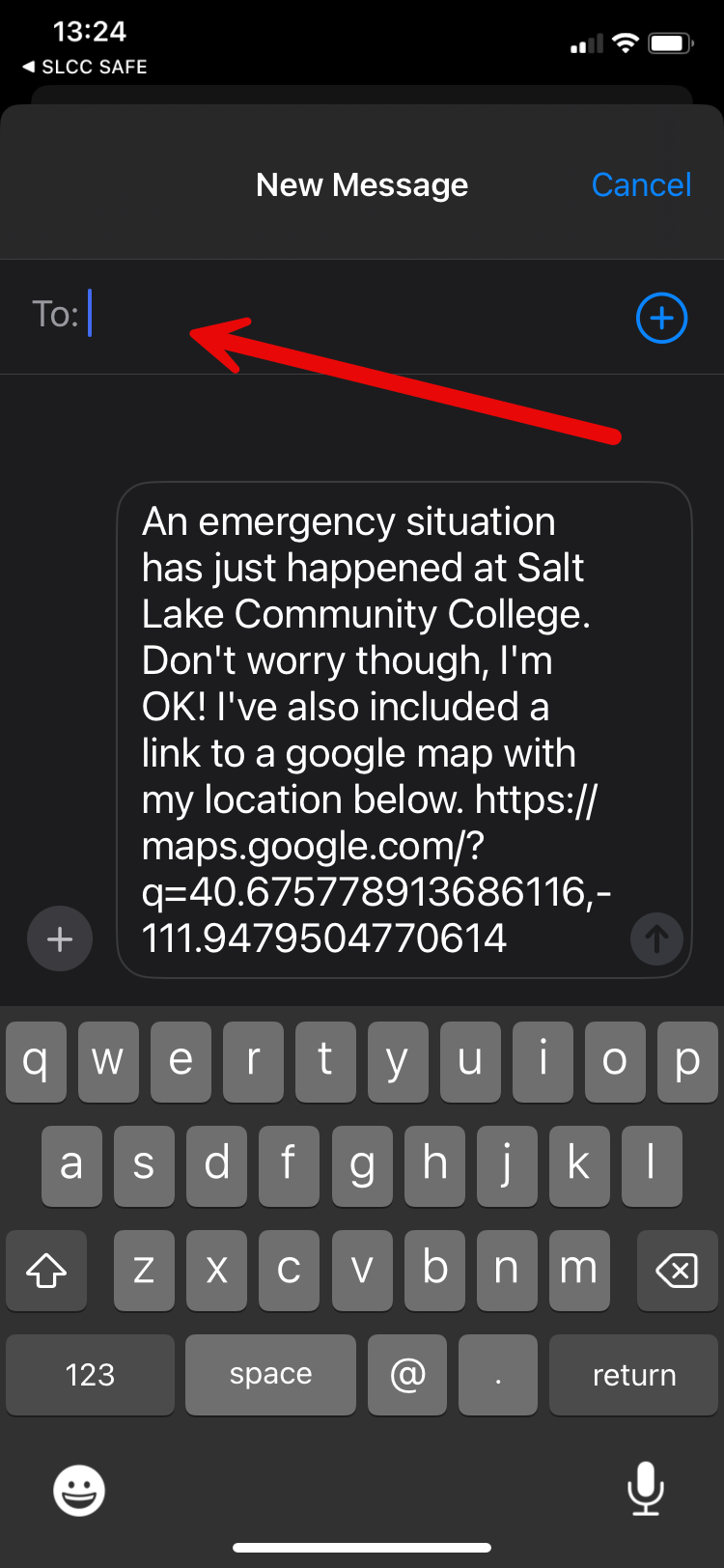
This is the pre-scripted message the recipient will receive on their device.
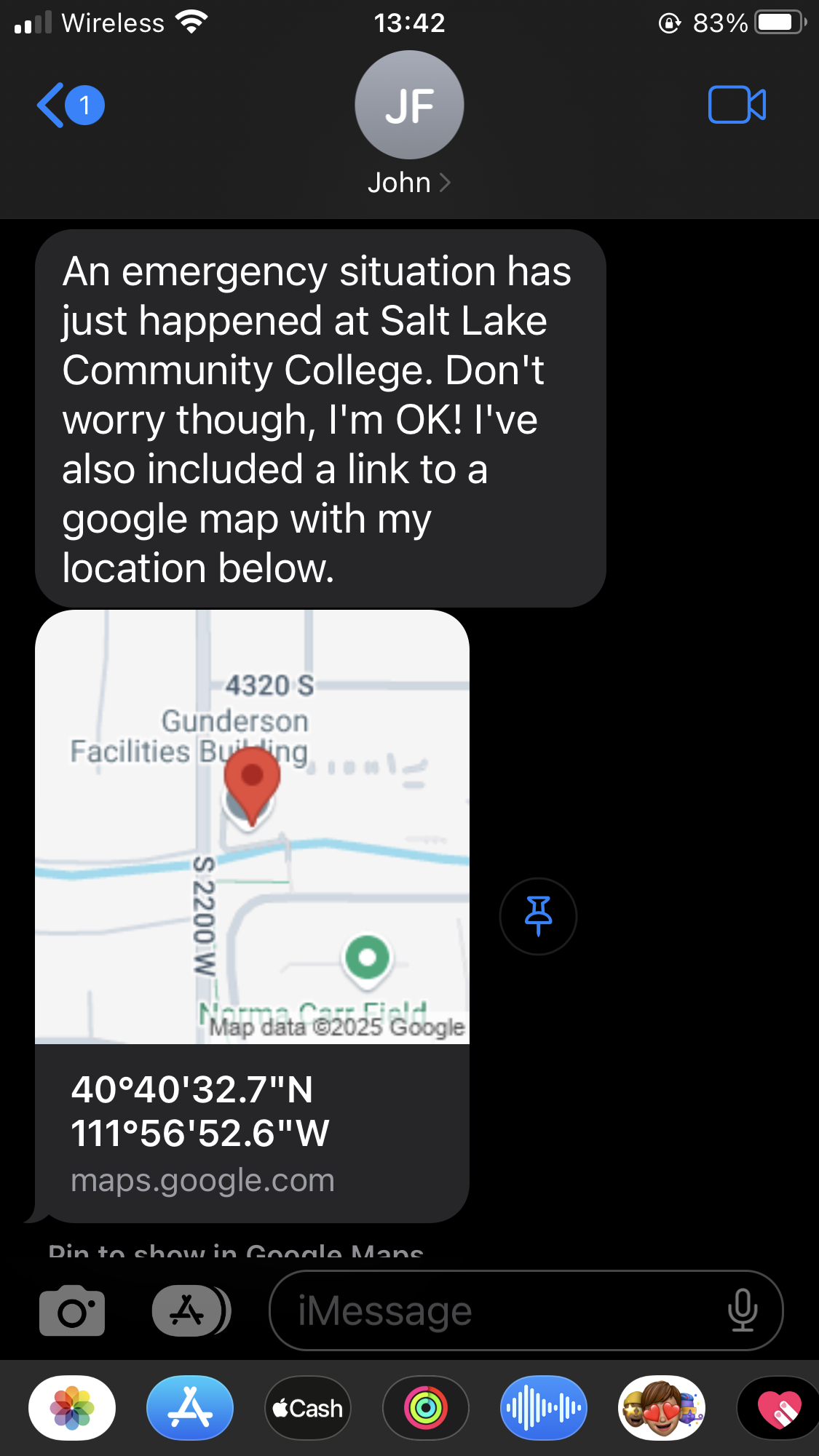
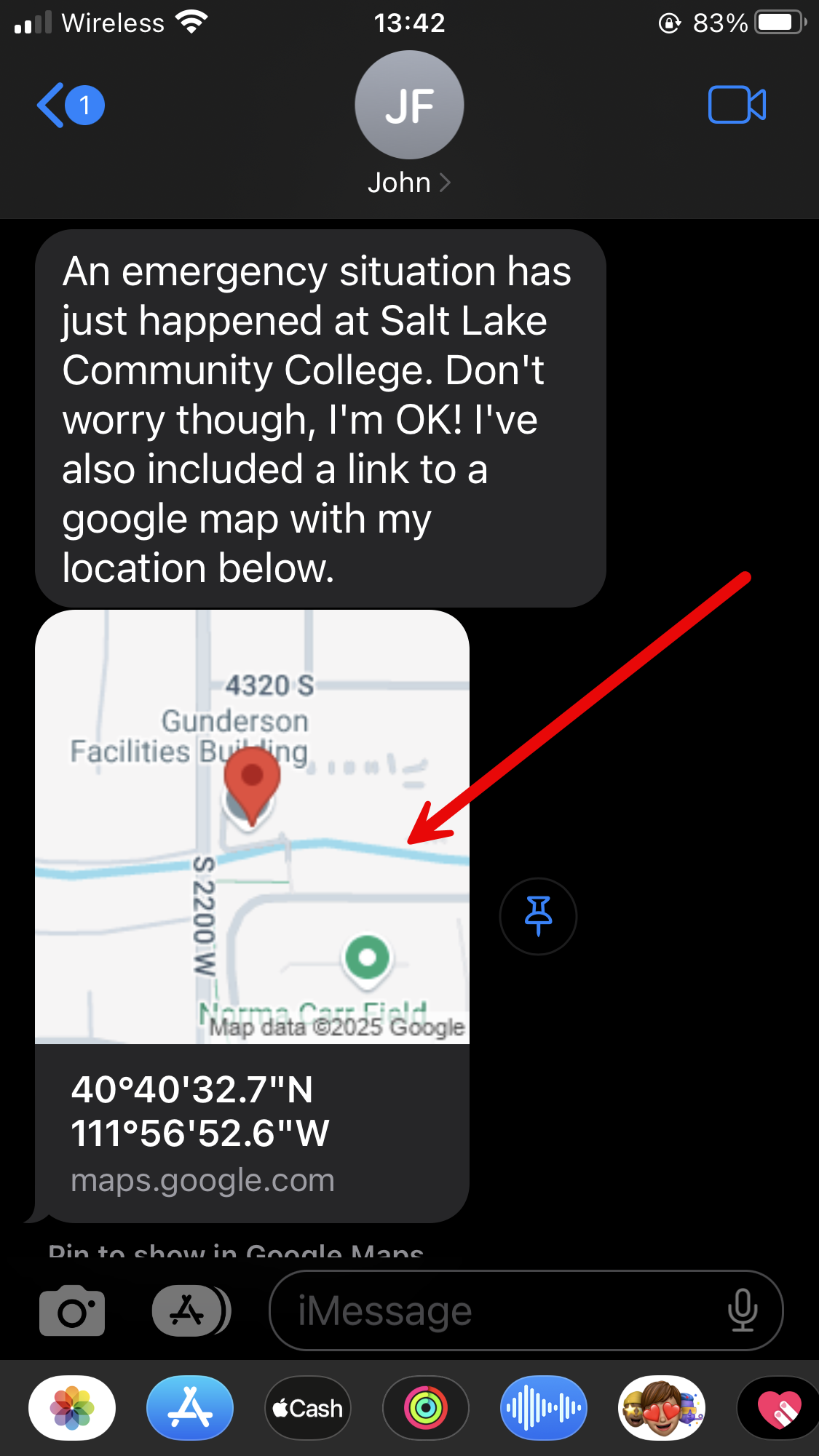
When they click the map area in the message, it will open the mapping function on their device with a pinned location on the map and exact location coordinates.

Download the app and try this yourself. Just search for SLCC Safe in the app store for your phone.