Survey Requests
Purpose
The Research and Surveys team is committed to protecting the time and privacy of our students, faculty, and staff. We achieve this by streamlining the survey process and ensuring all surveys meet high standards of relevance and efficiency. The Research and Surveys team can provide consulting on surveys.
Survey Request Process
To submit a survey request, click on the link below and fill out the form to the best of your ability. Include information and supporting materials related to the survey. After submitting your survey request, you can expect to hear back from the Research and Surveys team with questions, feedback, or approval information within 5 business days. The Research and Surveys team may request additional information for any of the following:
Population - Who the survey will be distributed to.
Timing - When the survey will be distributed and how often it will be sent out.
Survey Distribution - Who will be distributing the survey to the target population, and how it will be distributed (e.g. Google forms, in-person, Qualtrics, etc.)
Survey Instrument - Survey questions and items used to gather necessary and relevant data from target population.
Dissemination of Results - Who has access to survey results and what they will be used for.
After creating your survey, we will send you a link for your survey that you can paste into emails or websites; this link can’t be used to identify respondents.
If you need to identify respondents or need assistance from the Research and Surveys team to distribute your survey, please note that we try to limit survey fatigue among students and can only distribute surveys with 500 or less students.
Survey Request FormHuman Subject Research
In addition to the request process, surveys for research involving human subjects must be reviewed by SLCC’s Institutional Review Board (IRB). For more information about the process of obtaining IRB approval or exemption for a survey See Institutional Review Board | SLCC. If you are unsure about whether your survey involves human subjects research or about needing IRB approval, this flowchart was created to help.
Additional Resources
For more information on survey development and best practices, please review SLCC Survey Development Best Practices.
| Question Type | Definition |
|---|---|
| Descriptive Text | A non-interactive question type used to display static text, instructions, or messages (does not require a response). |
| Form Fields | Used to collect personal or contact information from respondents (e.g., name, email, phone number). |
| Multiple Choice | Allows respondents to select one or more options from a list. Options can be presented in a variety of formats (radio buttons, checkboxes, etc.). |
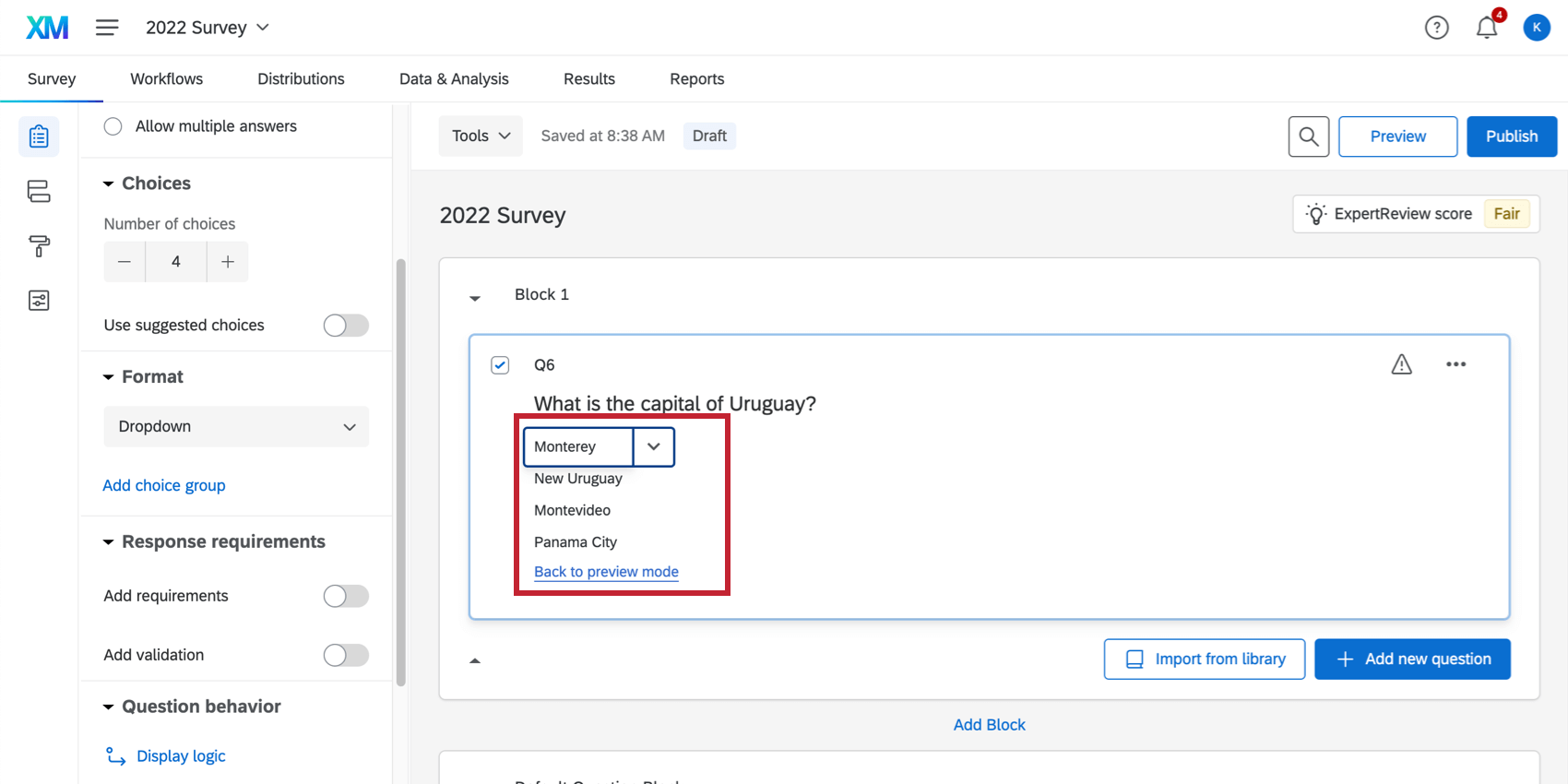
| Multiple Choice > Dropdown |
Respondents select an answer from a dropdown menu, often used when the number of options is large. The Dropdown format displays answer choices as a dropdown list; respondents can only pick one answer choice.
|
| Text Entry | A question that requires respondents to input their answer in a text field. This can be either a short response (single line) or a long response (multiple lines). |
| Slider | Respondents select a value on a continuous scale (e.g., from 0 to 100), often used for rating or preferences. |
| Graphic | The graphic content type allows you to insert a stand-alone image into your survey. Click Choose graphic to select an image from your Qualtrics library. You can upload a new image from your computer or a URL if needed. |
| File Upload | Respondents can upload a file as their answer (e.g., a document, image). |
Contact Information
If you have any questions or comments, please contact surveyresearch@slcc.edu.